TCP/UDP telemetry gateway

One tracker, many platforms. No hardware swap.

TrackMux receives your trackers’ traffic and replicates every packet, byte for byte, to as many servers as you need. Commands reach the right device and each reply goes back only to whoever asked.
  • Any protocol
  • TCP and UDP
  • No fleet reconfiguration
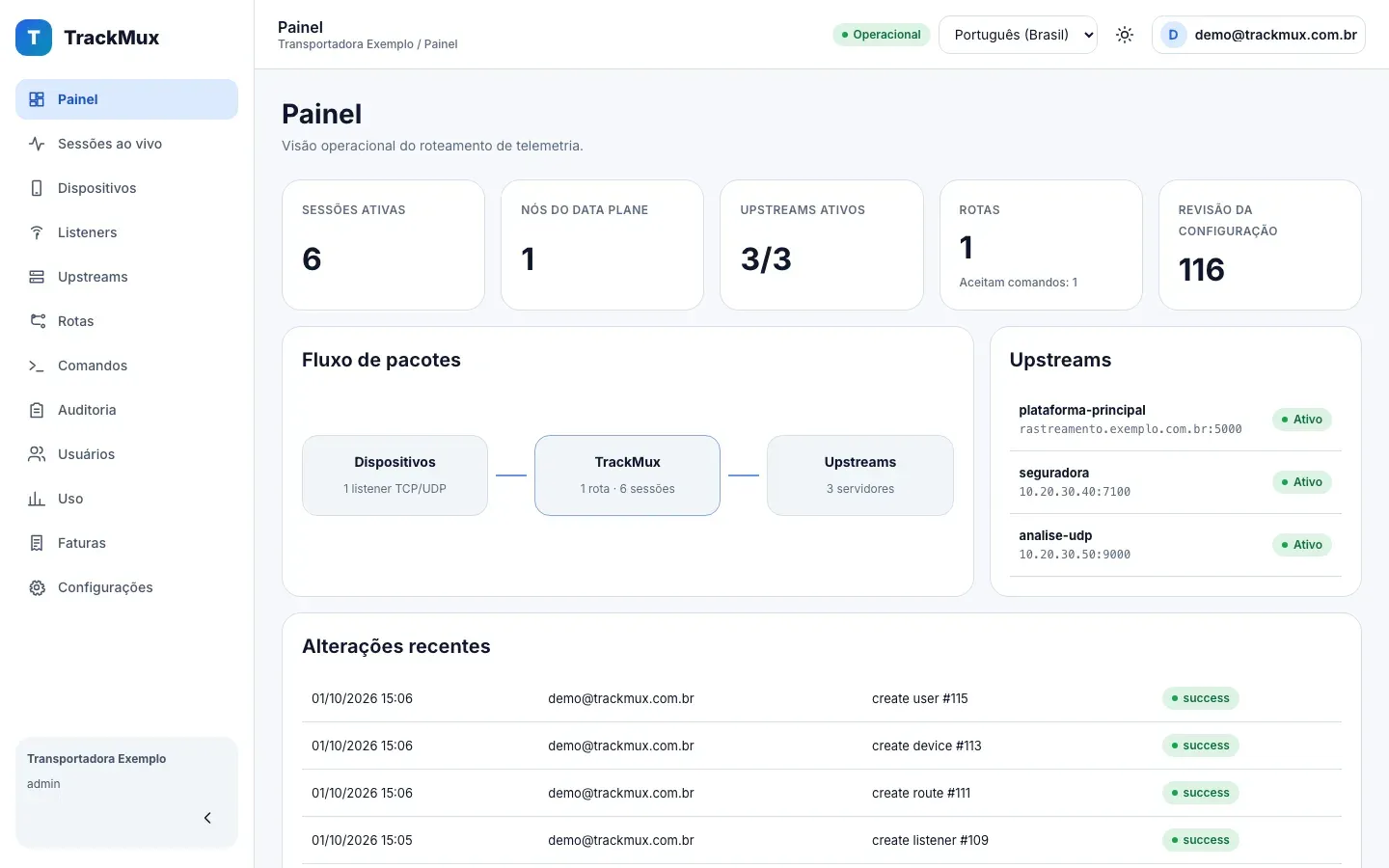
TrackMux dashboard with 6 active sessions, 3 of 3 upstreams active and the devices, TrackMux and upstreams flow
How it works

Telemetry for everyone. Replies only for whoever asked.

Your tracker keeps pointing at a single address. TrackMux does the rest.

Packet flow in TrackMuxThree trackers send telemetry to TrackMux, which replicates it to the main platform, the insurer and analytics. The main platform sends a command to one tracker and the reply goes back only to it.Tracker0360000101Tracker0360000102Tracker0360000106TrackMuxTCP :7001Main platformcan send commandsInsurerTCP 10.20.30.40AnalyticsUDP 10.20.30.50
  • Tracker telemetry
  • Replication to each destination
  • Command and reply, origin only

One route, many destinations

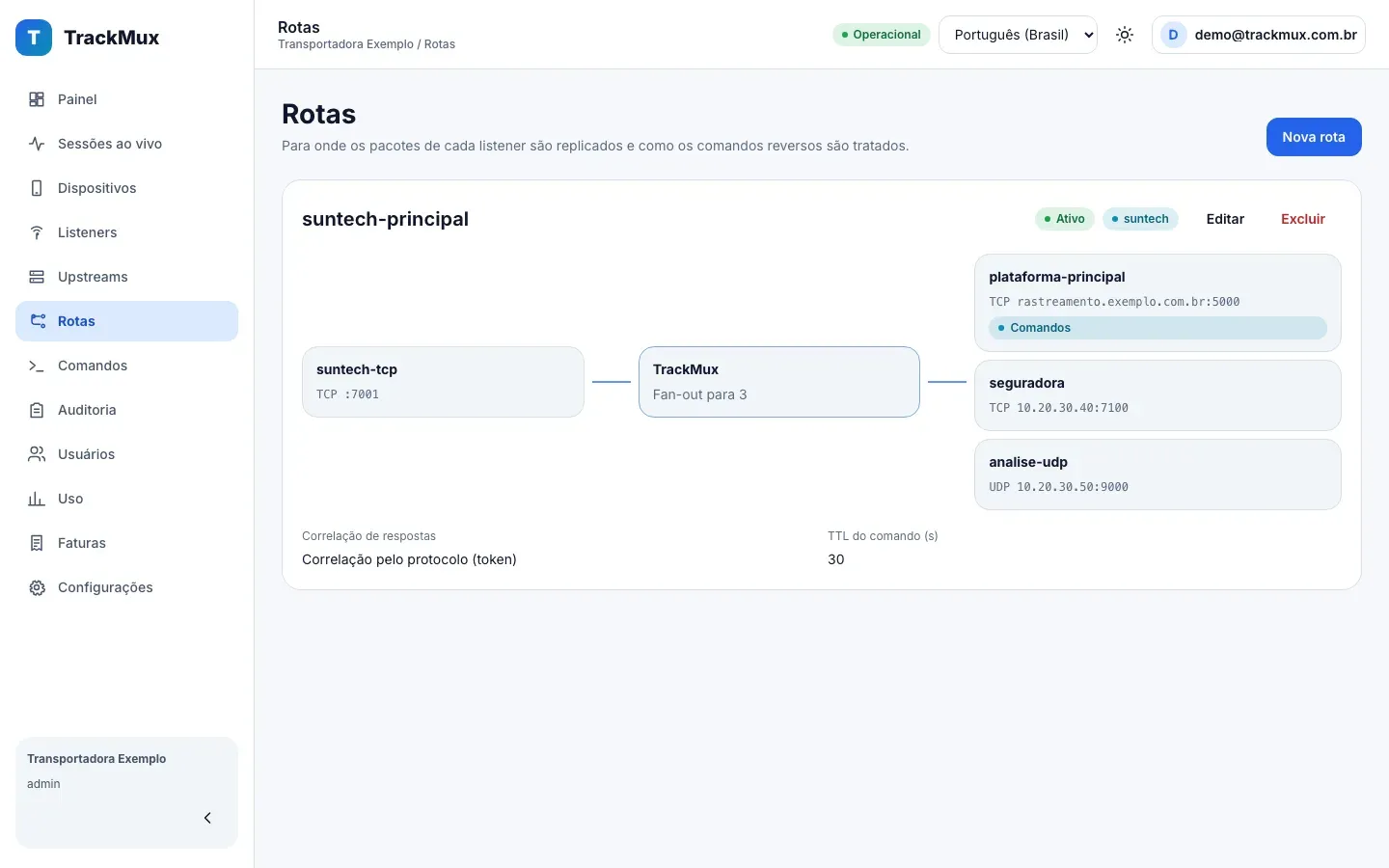
In the console, you connect the inbound port to the destination servers and choose which ones may send commands. Changes apply immediately, with no restart.
  • TCP and UDP on the same route
  • Command permission per destination
  • Reply correlation by protocol
Routes screen: listener suntech-tcp connected to TrackMux with fan-out to plataforma-principal, seguradora and analise-udp
Why TrackMux

More than packet replication

Less data on the SIM

The tracker transmits once, to TrackMux. Without it, every extra platform would be one more copy on the data plan. The console shows how much was saved.

Delivery in milliseconds

Each packet goes to the destinations as soon as it arrives, with no batching or waiting. For monitoring centers and rapid response, every second counts.

TCP and UDP

Trackers using TCP or UDP share the same route, with no conversion and with every datagram boundary kept.

Any protocol

Transparent mode forwards the bytes as they arrived, from any manufacturer. Protocol adapters come in only when they add value: identifying the device, matching commands and avoiding duplicate acknowledgments.

Grows with your fleet

Several ingress servers work together and the dashboard shows them all. To grow, add a server, with no change to the trackers.

Many companies, one console

Each company sees only its own devices, routes and users, with viewer, operator and administrator roles.

Full audit trail

Every change and every sign-in is recorded: who, when, from where and what changed.

Transparent billing

Usage measured every day, a monthly forecast in the console and an invoice that explains every line.

Use cases

Who TrackMux is for

Migration

Switch platforms without field visits

Run the old and the new platform side by side on the same data. Turn the old one off when you are ready.

Integration

Insurer and customer receive it too

Each partner gets the original stream on its own server, with no export or extra API.

Continuity

One platform goes down, the others carry on

Each destination has its own connection and queue. A failure in one does not stop the rest.

Full control

See every connected device, from anywhere

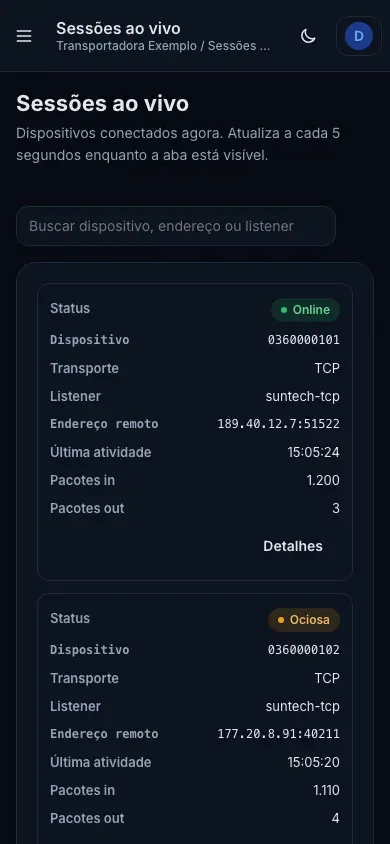
Live sessions with inbound and outbound packets, refreshed every 5 seconds. The console works on phones and in dark mode.
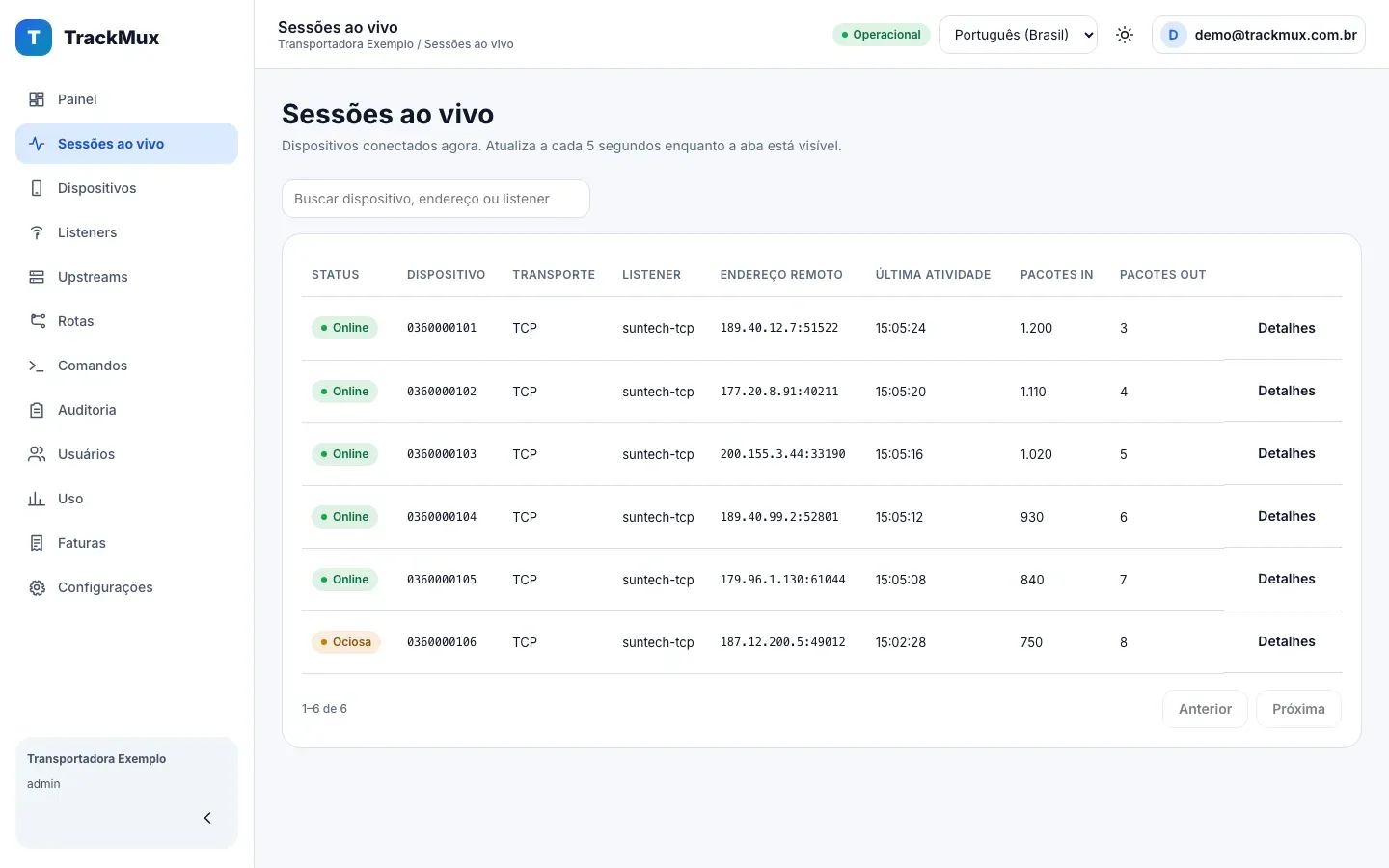
Live sessions table with six TCP trackers, online or idle status, remote address and packet counts
Live sessions on a phone, in dark mode

Traceable commands

Choose who may send commands and how replies are matched. The console warns you when a setup cannot guarantee the right reply.
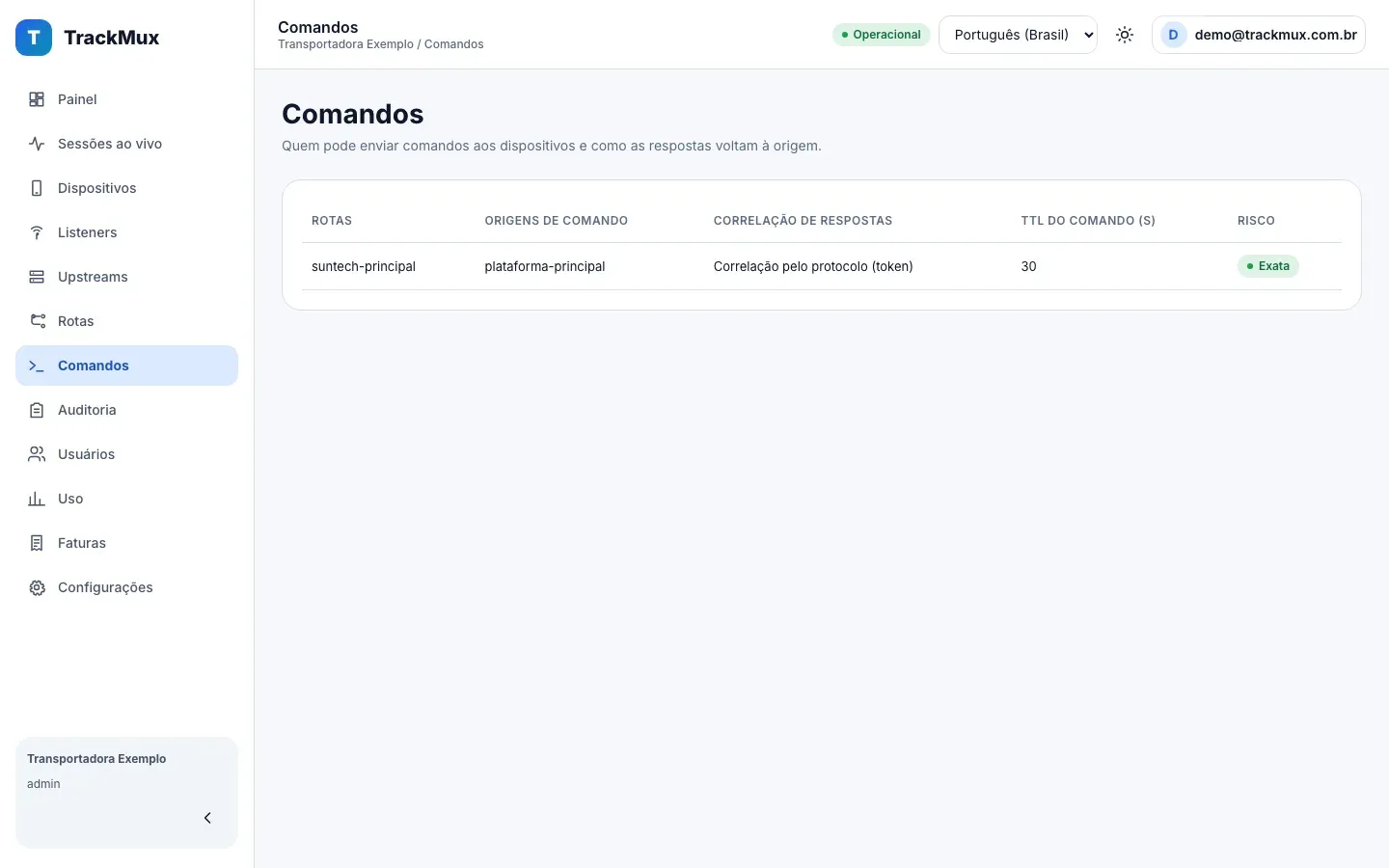
  • Command origin per route
  • Timeout per command
  • Dangerous commands blocked by default
Commands screen: route suntech-principal with origin plataforma-principal and protocol correlation
Features

All of this is available today

In production now, for every customer.

Replication

  • Byte-for-byte copy to as many platforms as you need
  • TCP and UDP on the same route
  • Own connection and queue per destination: a slow one never blocks the others
  • Route changes apply at once, without dropping connections
  • Platform down: data is kept for up to 24 hours and arrives in order when it is back

Commands

  • Replies go only to whoever sent the command
  • Command permission per platform
  • Each platform receives only the vehicles you choose
  • Dangerous commands blocked by default: server change, factory reset, firmware, memory erase
  • A single acknowledgment (ACK) reaches the tracker, even when several platforms answer

Protocols

  • Transparent mode for any manufacturer
  • Suntech (Universal: text and Zip)
  • Concox / GT06 and compatibles
  • Teltonika (Codec 8, 8E and 16; Codec 12 commands), TCP and UDP
  • Generic framing by delimiter or length

Operations

  • Live sessions with delivery per platform
  • Traffic capture of a single tracker for diagnostics, in hex and downloadable
  • Alerts for trackers without signal and platforms that are down, in the console and by e-mail
  • SIM data saved, per tracker and on the dashboard
  • Monthly SIM savings report by e-mail
  • Public status page with 90-day availability
  • Several ingress servers working together
  • Multiple companies, access roles and audit trail
  • Usage, forecast and invoices in the console
  • Console in Portuguese, English and Spanish
FAQ

Before you ask

Do I need to replace my trackers?

No. Point the tracker at the TrackMux address once. After that, adding or removing platforms is done in the console.

Do the platforms I already use need any change?

No. Each platform receives exactly the bytes the tracker sent, as if the tracker talked to it directly.

Which trackers are compatible?

Any device that sends over TCP or UDP works in transparent mode. Suntech, Concox/GT06 and Teltonika have full adapters: device identification, a single acknowledgment and commands with exact replies.

Can a platform send commands to my trackers?

Only the ones you allow, route by route. The others only receive data, and each command reply goes back only to whoever sent it.

What if one of the platforms goes down?

The others keep receiving normally. What did not reach the platform that went down is kept for up to 24 hours and delivered in order when it is back, even if the tracker reconnects in the meantime.

Does TrackMux store my data?

No. TrackMux forwards the packets; it keeps only usage counters and the console change log.

How does billing work?

A platform fee plus an amount per connected tracker, in progressive tiers, with a contracted minimum. Usage is measured every day and shown in the console.

Contact

Let’s talk about your fleet

Tell us about your setup. A specialist replies within 1 business day.